Cut, captioned,
and sourced.
Talking head in, finished video out. Silences trimmed, captions timed, and every screenshot you referenced already found, placed, and waiting for your approval.
macOS 14+ · uses your own Codex subscription
01 — The actual job
6 minutes
Recording the take. The part you're good at.
the afternoon
Finding the post you quoted, screenshotting the chart, pulling the filing — then timing every one of them to the exact sentence.
every time
You could pay a research editor to do it for you. That's a team and a budget, for a video you're posting today.
Unless the tool reads your transcript. Then it knows what you claimed — and what would prove it. That's the entire product.
02 — Capabilities
Six things you'd otherwise do by hand.
It reads what you claimed, then finds the proof.
Every placement carries a reason and a source. Nothing lands on the timeline you didn't approve, and anything it can't find becomes a written brief instead of a silent gap.
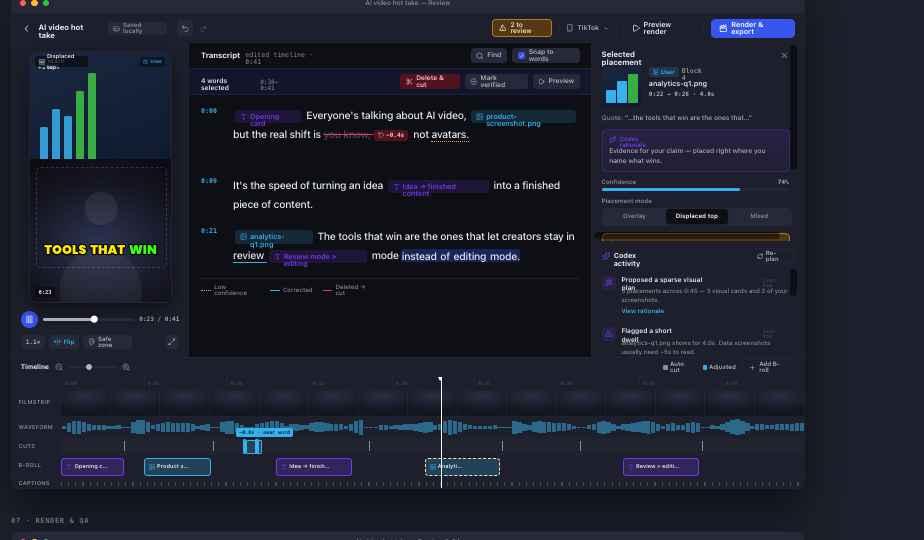
Silence, removed
Dead air, long pauses and the gaps between sentences come out automatically — so a rambling six-minute take plays like a tight ninety seconds.
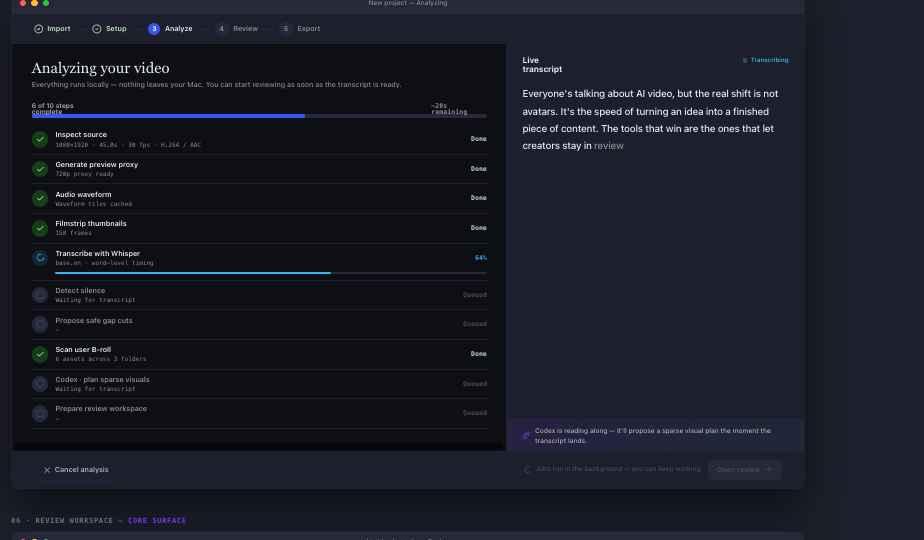
Edit the words, not the timeline
Delete a sentence in the transcript and the cut follows. No dragging clips, no ripple edits, no timeline unless you go looking for one.
Captions, timed to the word
Burned in, on the beat, inside the platform's safe zone.
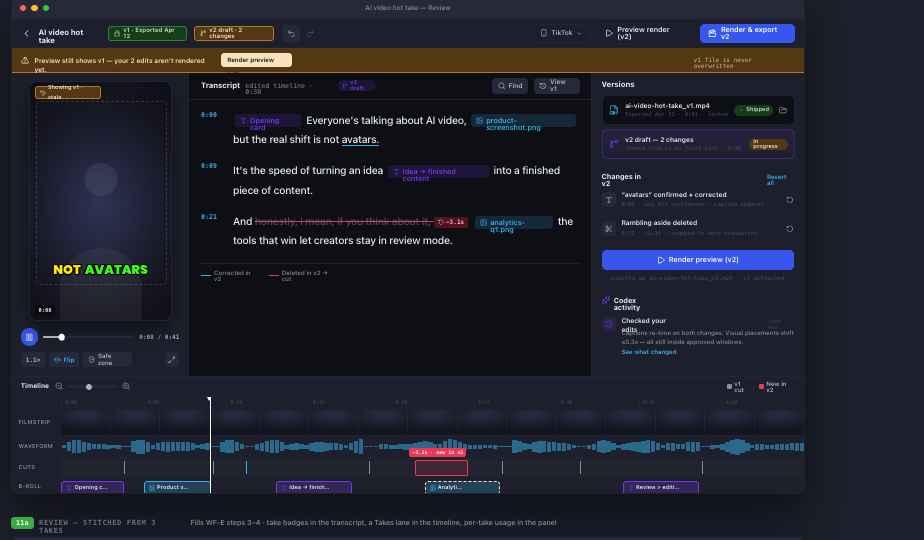
Versions, never overwrites
Exports lock. Editing afterwards forks a v2 draft, quietly.
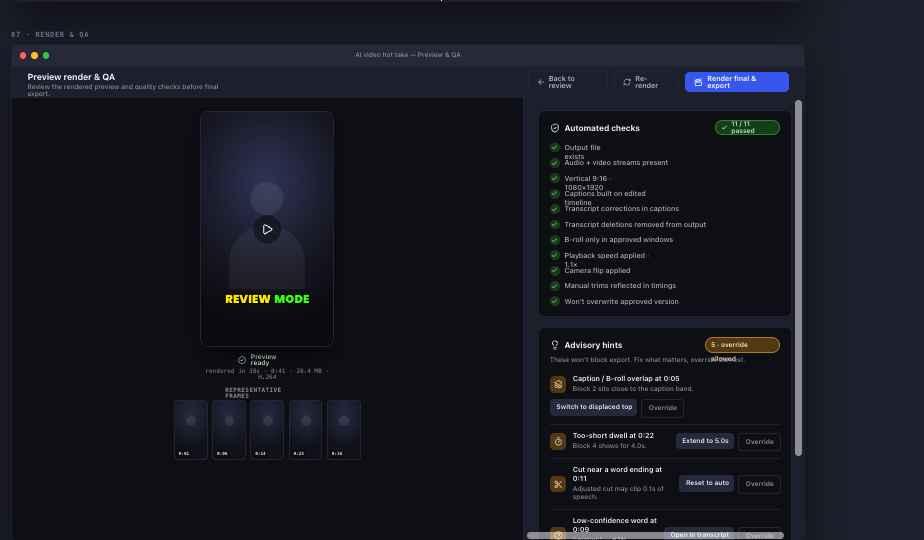
Checked before you post
Safe zones, loudness, caption overruns. Opinions stay opinions.
03 — The loop
Ten steps.
You're needed for one.
Steps 3–8 run unattended and resume from wherever they stopped. Step 9 is where your time goes.
Drop the footage
A file, a folder, or a whole session.
Pick a preset
Platform, captions, pacing. Then leave it alone.
Probe & prep
Codec, loudness and framing checked up front.
Transcribe
Word level, with confidence on every word.
Plan the cut
Silences and dead air, timed to the word.
Plan the visuals
Which claims need proof, and what kind.
Source itTHE POINT
Screenshots, charts and cards found, generated, or briefed.
Time the captions
Burned in, on the beat, inside the safe zone.
ReviewYOU
Approve, swap, restore, override. Transcript edits drive the cut.
Render, check, export
Versioned output. Nothing is ever overwritten.
04 — Local first
Your footage never leaves the machine.
No upload queue, no processing tier, no per-minute meter. Import, cut, render and export all happen on your Mac — the way a desktop app should.
Media stays on disk
Nothing is copied to a server. Ever.
Only the words are used to plan
Planning runs on transcript text. Sourcing fetches public material, and every asset shows where it came from.
Your own Codex subscription
No keys to paste, no usage markup. Privileged actions always ask first.
05 — Who it's for
Built for people who talk about what just happened.
The trending-topic creator
AI, markets, policy, sport. Every claim needs a screenshot of the thing you're claiming — a post, a chart, a headline, a filing. That hunt is now somebody else's problem.
The desk-and-camera founder
One take between meetings, no crew, no editor on retainer. Record at 9, post by 9:20, without it looking like you did.
The podcaster with a back catalogue
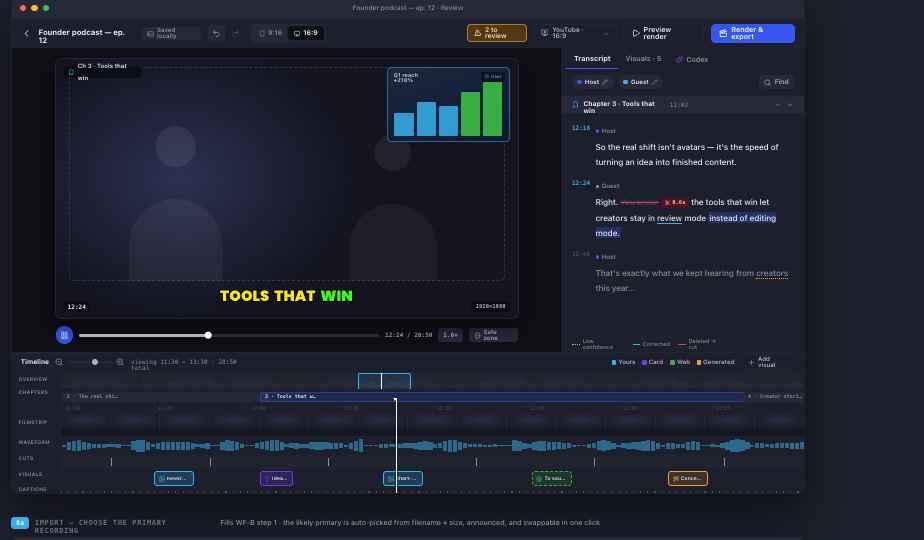
Landscape review, chapters and speaker labels already work. Full long-form repurposing is the next release.
06 — Pricing
Buy it once. It's yours.
The editor is not a subscription and never will be.
Studio Lifetime
Every version we ever release.
$99 one-time
Download for MacThe complete editor — import to export
All major releases — 2.0 and beyond
Long-form support when it lands
Optional add-ons that cost us money to run — trending-topic curation, turning a video into a LinkedIn post — will be sold separately as subscriptions. You'll never need one to edit.
07 — Questions
The ones people actually ask.
How is this different from CapCut, Descript or Opus Clip?
Those tools cut what you already have. Descript and CapCut hand you a timeline and expect you to bring the b-roll; Opus Clip slices long video into shorts but can't add anything that wasn't filmed. FinalLayer Studio reads what you claimed and goes and gets the supporting visual — then asks you to approve it.
Do I need an API key or a separate AI plan?
No key to paste. It runs through the Codex CLI on the subscription you already have, so there's no usage markup from us.
Does my footage get uploaded anywhere?
No. Video and audio stay on your disk for the whole pipeline. Planning uses transcript text only, and every sourced asset carries a visible record of its origin.
What if it makes the wrong call?
Every automatic decision is reversible and shows its reasoning. Cuts restore in one click, placements swap or drop, and low-confidence catches are flagged rather than applied.
Can I use it for podcasts and long-form?
Partly, today: 16:9 review, chapter navigation and speaker labels are in. Full long-form repurposing is the next release, and it's included in Lifetime.
Mac only?
For now. macOS 14 or later — the render pipeline leans on it hard.
Record today's take.
Post it before lunch.
Free while it's in beta. One-time purchase when 1.0 ships.
Universal binary · 84 MB · macOS 14+